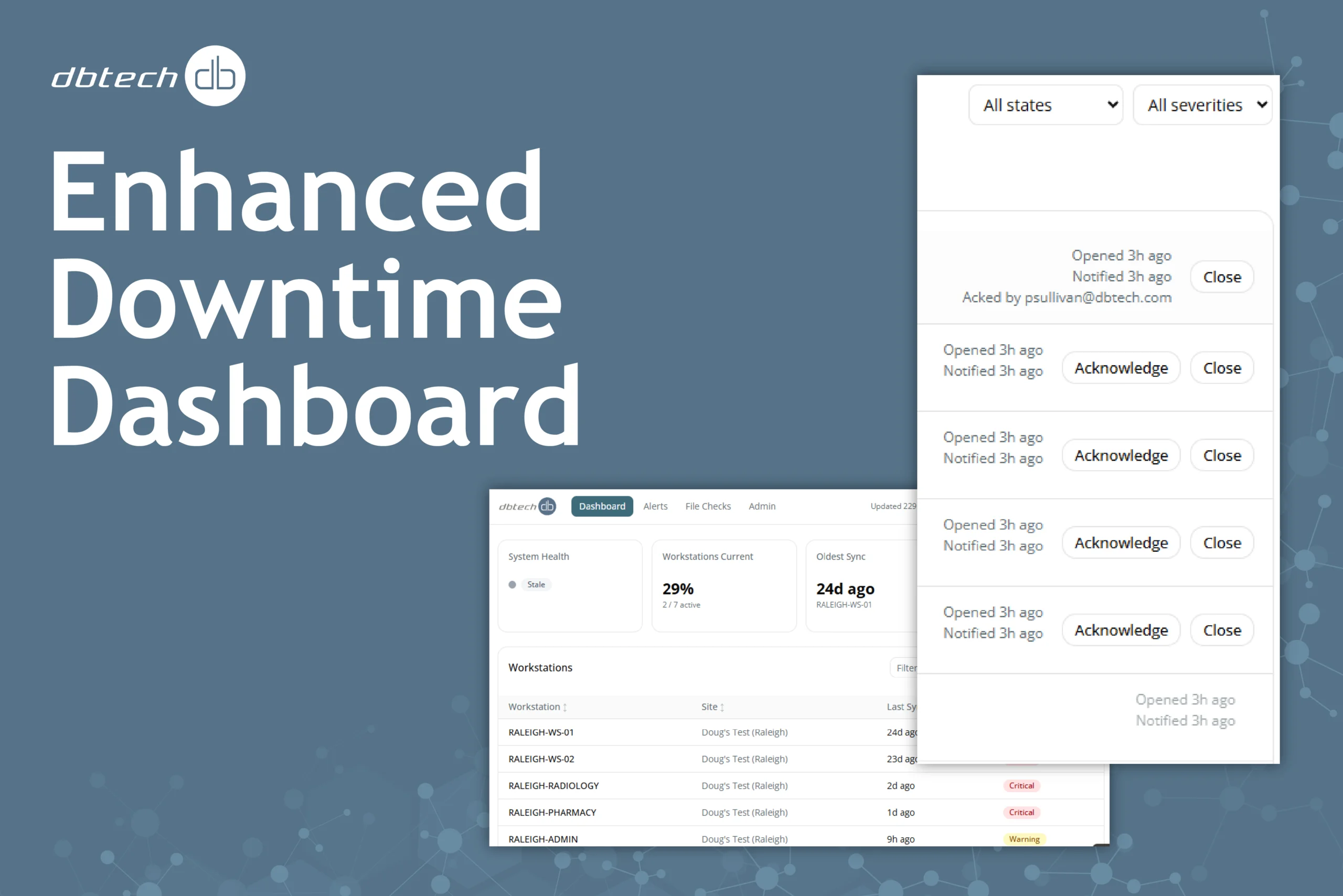
Healthcare IT teams know the challenge well: a downtime server exists, but visibility into whether it is actually ready when needed is limited. dbtech’s enhanced Downtime Dashboard changes that.
The updated dashboard gives your team a centralized, real-time view of everything that keeps your downtime environment healthy and current, from workstation sync performance to HL7 service status to file growth monitoring. Rather than relying on manual checks or waiting for users to report a problem, your team can now see potential issues developing and address them before they affect clinical operations.
What’s new in the enhanced dashboard
The latest version of the Downtime Dashboard introduces several meaningful upgrades for healthcare IT teams managing downtime readiness:
Real-time workstation sync monitoring lets you see exactly when each workstation last synchronized and flag any that have fallen behind. HL7 service health monitoring tracks the Windows services responsible for receiving and processing patient data, surfacing stopped or degraded services immediately. File size monitoring provides visibility into database and index file growth trends, helping organizations proactively manage system health and identify potential issues before they impact operations.
Rounding out the update: centralized alerting that consolidates workstation, service, and file health into a single view, heartbeat and connectivity monitoring to confirm systems are actively reporting, offline buffering that stores monitoring data locally during a connectivity loss and transmits it once restored, and multi-site visibility across all your customer locations from one dashboard.
Features and benefits
- Real-time sync visibility: See when each workstation last synchronized and immediately identify systems that are out of sync or falling behind, so you are never caught off guard during a downtime event.
- HL7 service health monitoring: Track the status of critical Windows services responsible for processing patient data and receive alerts the moment a service stops or degrades.
- File and database growth tracking: Detect oversized files and rising storage consumption before they create performance issues or compromise downtime data availability.
- Centralized alerting: Consolidate workstation, service, and file health into a single dashboard view with automated alerts, eliminating the need to check multiple systems manually.
- Heartbeat and connectivity monitoring: Confirm that monitored systems are actively reporting back to the dashboard, so gaps in coverage are visible before they become gaps in readiness.
- Offline buffering and recovery: If a site loses internet connectivity, monitoring data is stored locally and transmitted automatically once the connection is restored, ensuring no data is lost.
- Multi-site visibility: Monitor multiple locations, servers, and workstations from one centralized dashboard rather than performing manual checks site by site.
- Historical trend reporting: Track recurring issues, reliability patterns, and system performance over time to support planning, accountability, and continuous improvement.
Why it matters
The time to discover a sync failure is not during an active downtime event. The enhanced dashboard gives your team confidence that workstations are receiving current data, critical services are running, and your environment is ready when it needs to be. Support staff spend less time on manual checks, troubleshooting is faster, and historical trend data supports ongoing planning and accountability.
Getting started
dbtech works directly with your team to configure the monitoring dashboard within your existing downtime environment. That includes setting up the monitoring agent, identifying the systems and services to monitor, and validating that everything is reporting correctly.
To learn more or get started, contact the dbtech team.